Legacy Plan Modernization
The Hidden Costs of Legacy Building Plans
TIME
Productivity Loss
Time Drain
Manual measurements from paper plans can take hours for what should be minutes of work. Project teams waste valuable time trying to interpret unclear dimensions, leading to costly delays and potential errors during construction phases.
RISK
Accuracy and Rework Exposure
Error Risk
Hand-measuring from raster images introduces human error at every step. One misread dimension can cascade into expensive rework, material waste, and project timeline disruptions.
CAD
FIX
✓
Why Conversion Matters
Raster to CAD Conversion Reduces Manual Guesswork
Converting legacy raster drawings into accurate CAD files helps teams work faster, measure with confidence, reduce costly mistakes, and create a reliable foundation for renovation, coordination, and future digital workflows.
Raster to CAD Fundamentals
Understanding Raster vs. Vector Formats
IMG
Static Image-Based Files
Raster Images
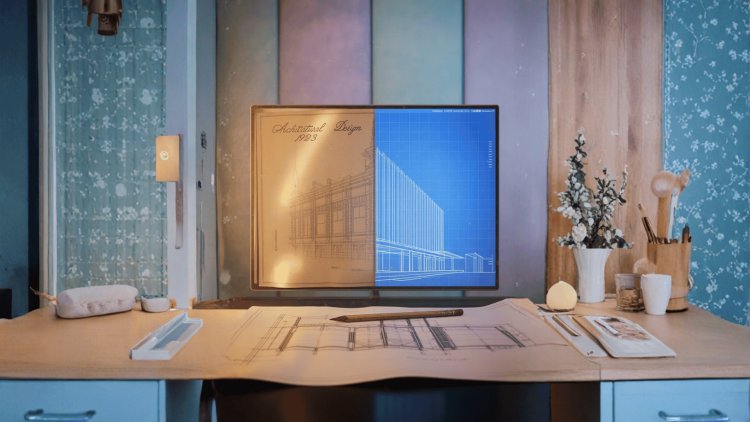
Made of pixels, like photographs. Common formats include JPEG, PNG, and TIFF. These files show building plans as static pictures — you can view them, but you can't easily extract precise measurements or modify elements.
DWG
Editable Coordinate-Based Files
CAD Vector Files
Made of mathematical objects and lines. Formats like DWG and DXF contain precise coordinates, dimensions, and layer information. Every line, arc, and dimension is editable and scalable without quality loss.
COPY
TOOLS
✓
Simple Way to Understand the Difference
Raster Is a Photocopy. CAD Is the Original Drawing System.
Think of it this way: raster images are like photocopies of the original plans, while CAD files are like having the architect's original drawing tools and measurements at your fingertips.
Raster to CAD Advantages
Key Benefits of CAD Conversion
01
01
Accuracy and Dimension Control
Precise Measurements
Extract exact dimensions instantly without manual measuring. CAD files maintain mathematical precision, ensuring accuracy for material calculations and construction planning.
02
02
Faster Plan Updates
Easy Modifications
Update plans quickly as projects evolve. Move walls, adjust dimensions, or add new elements without redrawing entire sections from scratch.
03
TEAM
03
Seamless Digital Coordination
Better Collaboration
Share files seamlessly across teams and software platforms. CAD formats integrate with modern BIM workflows, project management tools, and estimation software.
04
04
Long-Term Digital Preservation
Future-Proofing
Preserve building information in a format that won't degrade over time. Unlike paper plans that fade or tear, CAD files maintain their integrity indefinitely.
Raster to CAD Conversion Users
Who Benefits Most from CAD Conversion
FM
PLAN
Accurate As-Built Records
Facility Managers
Maintain accurate as-built documentation for space planning, maintenance scheduling, and emergency response. Digital plans make it easier to track building systems and plan renovations.
AEC
Design-Ready Existing Conditions
Architects & Engineers
Use existing building data as the foundation for renovation projects. Convert old plans to integrate with modern design software and maintain consistency across project phases.
BID
Accurate Bidding and Field Planning
Renovation Contractors
Bid more accurately on projects with precise measurements. Reduce field surprises and change orders by working from reliable, detailed CAD documentation.
Raster to CAD Workflow
The Conversion Process: What to Expect
SCAN
File Review and Planning
Assessment
Evaluate the quality and completeness of your raster files. Higher resolution images produce better CAD results.
CAD
Drafting and Recreation
Conversion
Professional drafters trace and recreate the plans as precise CAD objects, ensuring accuracy and proper layering.
QA
Accuracy and Layer Review
Quality Control
Verify dimensions, check layer organization, and ensure the CAD file meets your specific project requirements.
DWG
Ready-to-Use CAD Files
Delivery
Receive clean, organized CAD files in your preferred format, ready for immediate use in your design workflow.
CAD
DONE
✓
Professional-Grade Conversion Results
Accurate CAD Files That Fit Your Existing Workflow
When working with experienced providers like Consac, you can expect professional-grade results that meet industry standards and integrate seamlessly with your existing processes.
Raster to CAD ROI
ROI: Making the Business Case
ROI
CAD
$
Faster Workflows. Fewer Errors. Better Margins.
CAD Conversion Pays Back Through Speed and Accuracy
The cost of conversion typically pays for itself within the first project through time savings and error prevention alone.
TIME
Time Savings
Reduce Measurement Time
Reduce measurement time by 75% compared to manual methods. What used to take hours now takes minutes, freeing up your team for higher-value activities.
RISK
Error Reduction
Protect Project Margins
Minimize costly mistakes from misread dimensions. Accurate CAD files reduce change orders and material waste, protecting your project margins.
FLOW
Workflow Integration
Connect with Modern Tools
Seamlessly connect with modern software tools for estimation, project management, and BIM workflows. No more format compatibility headaches.
Raster to CAD Modernization
Ready to Modernize Your Building Plans?
CAD
SCAN
→
Efficiency • Accuracy • Future Readiness
Turn Static Legacy Plans into Editable Digital Assets
Converting your legacy raster plans to CAD format is an investment in efficiency, accuracy, and future readiness. Whether you're managing existing facilities, planning renovations, or bidding on projects, having precise, editable CAD files gives you a significant competitive advantage.
START
Prioritize High-Impact Projects
Start with Your Most Critical Projects
Focus on buildings where accuracy matters most — high-traffic facilities, complex renovations, or properties with frequent modifications. Starting with priority areas helps your team see the value of CAD conversion quickly.
PRO
Industry-Specific CAD Expertise
Work with Experienced Professionals
Choose conversion services that understand your industry's specific requirements and deliver CAD files organized for your workflow. Proper layering, clean geometry, and accurate dimensions make the files immediately useful.
NOW
DWG
✓
Move Beyond Outdated Raster Files
Make the Conversion and Experience the Difference
The construction industry is moving faster toward digital workflows every day. Don't let outdated raster files hold your projects back — make the conversion and experience the difference precise, editable CAD documentation can make for your next project.