Legacy Documentation Modernization
The Legacy Documentation Challenge
BIM
FILES
!
Valuable Project Data Trapped in Outdated Formats
Legacy Documentation Blocks Modern BIM Workflows
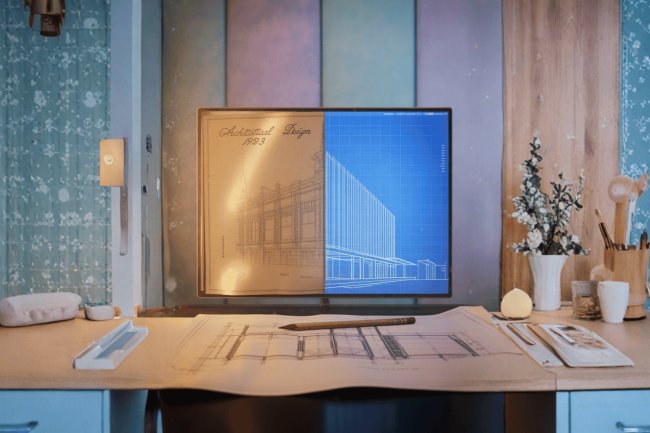
Most established companies have decades of valuable project documentation trapped in formats that don't integrate with modern BIM systems. This creates inefficiencies, errors, and missed opportunities for data-driven decision making.
ISSUE
Common Legacy Issues
Documentation Problems That Slow Down Digital Transformation
01
01
Paper Blueprints
Paper blueprints stored in filing cabinets are difficult to search, share, update, or integrate into BIM-based workflows.
02
02
Low-Resolution Scans
Low-resolution scanned images can hide dimensions, blur linework, and create uncertainty during CAD conversion and BIM integration.
03
STD
03
Inconsistent Standards
Inconsistent drawing standards across older projects make files harder to interpret, organize, and modernize for BIM use.
04
04
Missing Documentation
Missing or incomplete documentation creates gaps in project knowledge that require field verification and careful data reconstruction.
REV
05
Scattered Revision Versions
Multiple revision versions scattered across teams make it difficult to confirm the latest source of truth before conversion or BIM modeling begins.
Raster to CAD Conversion Workflow
What is Raster to CAD Conversion?
CAD
IMG
Source Review
Image Analysis
Professional technicians analyze scanned drawings, photographs, or PDF files to identify architectural elements, dimensions, and technical specifications.
01
02
TRACE
Raster to Vector Recreation
Digital Tracing
Using specialized software, each line, dimension, and annotation is precisely traced to create accurate vector-based CAD drawings.
QC
Verification Before Delivery
Quality Control
Multiple reviews ensure dimensional accuracy, proper layering, and adherence to current CAD standards before final delivery.
03
04
BIM
3D
CAD Foundation for Intelligent Models
BIM Integration
Clean CAD files serve as the foundation for creating comprehensive 3D BIM models with embedded data and intelligent components.
BIM Success Foundation
Why Raster to CAD is Essential for BIM Success
BIM
CAD
✓
Foundation of Digital Transformation
Accurate CAD Files Make BIM Implementation Faster and More Reliable
Think of raster to CAD conversion as the foundation of your digital transformation. Without accurate, editable CAD files as your starting point, BIM implementation becomes exponentially more complex and expensive.
DATA
Precise Model Inputs
Data Accuracy
Professional conversion ensures precise measurements and geometric relationships that BIM models depend on for coordination and clash detection.
70%
FAST
Faster BIM Model Development
Time Savings
Starting with clean CAD files can reduce BIM modeling time by 60-70% compared to recreating everything from scratch or working with poor-quality raster images.
COST
Avoid Expensive Rework
Cost Efficiency
Converting existing documentation is significantly more cost-effective than field measuring and recreating entire building geometries for BIM development.
Raster to CAD BIM Use Cases
Real-World Applications Across Project Types
BIM
MEP
CARE
Renovation Without Operational Disruption
Healthcare Facilities
Converting legacy hospital blueprints enables precise MEP coordination for renovations while maintaining critical operational requirements.
PLANT
SAFE
Equipment Upgrades and Compliance Planning
Industrial Plants
Manufacturing facilities use converted drawings to create accurate BIM models for equipment upgrades and safety compliance.
VALUE
CAD
★
Proven Value in Complex Legacy Renovations
Better Conversion Reduces Coordination Conflicts
Companies like Consac have seen how proper raster to CAD conversion transforms project timelines and reduces coordination conflicts in complex legacy renovations.
Raster to CAD Partner Selection
Choosing the Right Conversion Partner
01
01
Industry-Specific Expertise
Technical Capabilities
Look for providers with experience in your industry standards and the ability to handle complex architectural details like curved elements and intricate mechanical systems.
02
02
Review Before Delivery
Quality Assurance Process
Ensure they have documented QA procedures, multiple review stages, and clear accuracy standards before delivery.
03
BIM
03
CAD Files Built for BIM Use
BIM Integration Experience
Choose partners who understand how CAD files will be used in BIM workflows and can optimize deliverables accordingly.
04
04
Capacity Without Quality Loss
Scalability and Timeline
Evaluate their capacity to handle large document volumes and meet your project deadlines without compromising quality.
Raster to CAD BIM Performance
Measuring Success: Key Performance Indicators
KPI
75
BIM
75%
Faster BIM Development
Accelerated Modeling
Projects with professional raster to CAD conversion complete BIM modeling significantly faster than those starting from scratch.
40
40%
Reduced Coordination Issues
Fewer Conflicts
Accurate base drawings minimize clash detection problems and coordination conflicts during construction.
90
90%
Improved Documentation Quality
Cleaner Deliverables
Professional conversion delivers consistent, standardized drawings that integrate seamlessly with modern design workflows.
Legacy Data to BIM Transformation
Your Next Steps Toward Digital Transformation
BIM
FUTURE
→
Unlock Legacy Documentation Value
Move from Static Drawings to Intelligent Digital Workflows
The journey from legacy documentation to modern BIM workflows doesn't have to be overwhelming. With the right raster to CAD conversion partner, you can unlock the value trapped in your existing drawings and accelerate your path to digital transformation.
PLAN
AUDIT
Identify High-Value Documentation
Audit Your Documentation
Inventory your legacy drawings and identify which projects would benefit most from BIM implementation.
GOAL
BIM
Define the BIM Outcome
Define Your BIM Goals
Establish clear objectives for what you want to achieve with BIM adoption in your legacy projects.
TEAM
Choose a Future-Ready Conversion Team
Partner with Experts
Select a conversion partner who understands both your current challenges and your future BIM ambitions.
LEGACY
FUTURE
★
Make Your Legacy Data Work for Future Success
Unlock the Value Trapped in Existing Drawings
Your legacy projects contain decades of valuable information — make sure it works for your future success. With the right raster to CAD conversion partner, you can modernize documentation, accelerate BIM adoption, and build a stronger digital foundation.