Large-Scale Raster to CAD Conversion
Understanding the Raster to CAD Challenge
CAD
RASTER
01
What Makes These Projects So Complex?
Converting Old Drawings into Accurate Digital CAD Assets
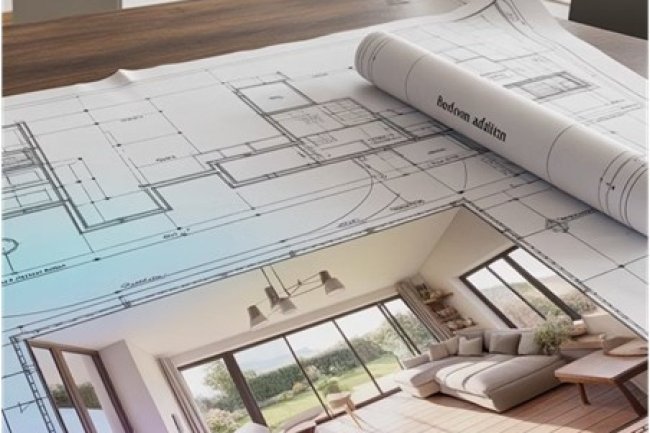
Large-scale raster to CAD conversions involve transforming scanned paper drawings, PDF files, or bitmap images into editable vector-based CAD files. The challenge lies in maintaining dimensional accuracy while dealing with image quality issues, missing information, and outdated drawing standards.
IMG
02
Input Quality Problems
Scans Are Often Imperfect
Low-resolution scans, faded drawings, distorted PDFs, and incomplete information make accurate CAD recreation more challenging.
STD
03
Outdated Drawing Standards
Legacy Standards Need Interpretation
Older line weights, symbols, notes, and drafting conventions must be understood and converted into clean modern CAD organization.
SLOW
04
Manual Tracing Creates Bottlenecks
Traditional Manual Methods Can Delay Large Projects
Traditional manual tracing methods can take weeks or months for complex projects, creating significant project delays and budget overruns. The key is implementing systematic approaches that leverage both technology and proven workflows.
RISK
CAD
!
Large Drawing Sets Need Systematic Conversion
Manual Conversion Often Becomes the Project Bottleneck
Manual conversion methods often become project bottlenecks, especially when dealing with large drawing sets or tight deadlines. A structured raster to CAD workflow helps protect accuracy, timeline, and project budget.
Raster to CAD Workflow Preparation
Pre-Processing: The Foundation of Efficiency
PREP
DPI
Scan Quality Comes First
Image Quality Assessment
Start by evaluating scan quality, resolution, and clarity. Clean, high-resolution images with a minimum of 300 DPI reduce conversion time significantly. Poor-quality scans require extensive cleanup that can double project duration.
↓
STD
Rules Before Production
Standardization Setup
Establish consistent layer naming conventions, line weights, and drawing scales before beginning conversion. This upfront investment prevents costly revisions and ensures team consistency across large drawing sets.
↓
BATCH
Group Similar Drawings Together
Batch Organization
Group similar drawing types together — floor plans, sections, and details — and process them in batches. This approach allows for template reuse and reduces the mental switching time between different drawing types.
Raster to CAD Technology Workflow
Smart Technology Integration
TECH
AUTO
CAD
01
Automated Linework Conversion
Auto-Vectorization Tools
Modern software can automatically convert 60–80% of simple line work, dramatically reducing manual tracing time. These tools excel at straight lines, basic shapes, and text recognition, freeing technicians to focus on complex details.
AI
02
Intelligent Symbol Recognition
AI-Powered Recognition
Advanced AI systems can identify and convert standard symbols, dimensions, and annotations automatically. This technology is particularly effective for repetitive elements like doors, windows, and standard details.
LIB
03
Reusable CAD Components
Template Libraries
Build comprehensive libraries of commonly used symbols, details, and components. Having pre-made CAD blocks for standard elements can reduce drawing time by 40–50% on typical projects.
FAST
CAD
✓
Technology + Technician Expertise
Smart Integration Speeds Up Conversion Without Sacrificing Accuracy
Combining auto-vectorization, AI recognition, and reusable CAD libraries helps conversion teams reduce manual effort, improve consistency, and deliver cleaner CAD files faster.
Large-Scale Raster to CAD Workflow
Workflow Optimization Strategies
FLOW
TEAM
✓
Maximizing Team Efficiency
Successful Conversions Depend on Systems, Not Heroics
The most successful large-scale conversions rely on optimized team workflows rather than individual heroics. Companies like Consac have refined these processes through hundreds of projects, developing systematic approaches that consistently deliver results.
OPS
TEAM
Distribute Work Without Losing Control
Parallel Processing
Assign different drawing sheets to multiple team members simultaneously. Use cloud-based platforms for real-time collaboration and version control, preventing bottlenecks and reducing coordination overhead.
↓
QA
CHECK
Review Early and Often
Quality Checkpoints
Implement regular review stages rather than waiting until project completion. Catch and correct issues early when changes are less expensive and time-consuming to implement.
↓
PHASE
Release Completed Work in Stages
Progressive Delivery
Deliver completed drawings in phases, allowing downstream work to begin before the entire conversion is complete. This approach can reduce overall project timelines by 2–3 weeks on large projects.
DONE
CAD
✓
Better Workflow, Faster Delivery
Optimized Conversion Workflows Reduce Bottlenecks
By combining parallel production, scheduled quality reviews, and phased delivery, large raster to CAD conversion projects can move faster while maintaining accuracy, consistency, and workflow control.
QUALITY ASSURANCE
Quality Control Without Time Penalties
QC
Automated Verification Methods
✓
Dimension-checking algorithms compare CAD measurements directly against the original raster drawings.
✓
Layer validation scripts ensure consistent naming conventions and organized CAD file structures.
✓
Symbol verification tools confirm standardized blocks and annotation accuracy throughout the project.
✓
Plot comparison utilities overlay CAD output with the source drawing to quickly reveal inconsistencies.
AI
90%
Common Errors Detected
Automated quality checks identify the majority of conversion issues in minutes instead of hours of manual review.
PRO TIP
Schedule automated quality verification to run overnight. Your team can begin each workday with a complete error report, allowing productive hours to focus on corrections instead of manual inspection.
BEST PRACTICES
Common Pitfalls and How to Avoid Them
01
Perfectionism Paralysis
Don't spend valuable time over-detailing elements that don't require high precision. Concentrate accuracy on critical dimensions, structural components, and essential features while simplifying non-critical decorative details whenever appropriate.
02
Inconsistent Standards
Create documented conversion standards before work begins. Define layer conventions, line weights, symbols, and drafting practices, then share the guide with every team member to maintain consistency throughout the project.
PLAN
Beginning a raster-to-CAD conversion without proper project planning often results in scope creep, unnecessary revisions, and missed deadlines. Allocate approximately 10–15% of the project timeline to scoping, file organization, standards definition, and workflow planning. This upfront investment can reduce execution time by 30–40% while improving overall project quality and efficiency.
IMPLEMENTATION GUIDE
Implementing These Techniques in Your Next Project
1
Start Small and Scale Up
Begin by applying these techniques to a small set of drawings before expanding to larger projects. Pilot implementations help refine workflows, uncover bottlenecks, and establish proven standards that can be replicated confidently across future conversions.
2
Invest in Training
Equip your team with both technical expertise and standardized workflow practices before production begins. Skilled technicians can complete conversion tasks significantly faster while maintaining higher accuracy and reducing costly revisions.
KPI
3
Measure and Optimize
Monitor key performance indicators such as conversion time, error frequency, and client feedback. Use these insights to refine processes continuously and build a workflow that becomes faster, more accurate, and more efficient with every completed project.
Build Smarter Conversion Workflows
Success in large-scale raster-to-CAD conversion isn't about working harder—it's about combining the right technology, proven processes, and effective team coordination. Small workflow improvements can produce substantial gains in productivity, accuracy, and project delivery.
Start by implementing one or two of these techniques on your next project, evaluate the results, and expand from there. Continuous improvement today creates faster, more reliable conversion workflows for every project that follows.