Raster to CAD Conversion Challenges
The Manual Tracing Challenge
TRACE
CAD
HAND
01
Traditional Raster to CAD Method
Manual Tracing Requires Skilled Interpretation and Significant Time
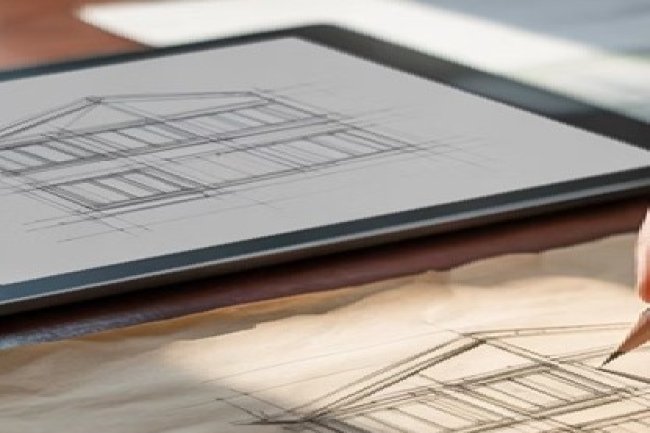
Manual tracing involves having drafters recreate technical drawings by hand, using existing paper blueprints or scanned images as reference. This traditional approach requires significant time investment and skilled personnel who can interpret complex technical details.
REF
02
Reference Layer Setup
Setting Up the Base Drawing
The process typically begins by placing raster images as reference layers, aligning them to scale, and preparing the file for manual CAD recreation.
LINE
03
Line-by-Line Recreation
Drawing Every Element Manually
Drafters manually draw each line, dimension, symbol, and annotation while cross-referencing specifications and interpreting unclear legacy details.
RISK
ERROR
04
Error and Inconsistency Exposure
Control Comes with Risk
While manual tracing gives complete control over the conversion process, it introduces multiple opportunities for human error, inconsistent linework, and missed details.
SLOW
TRACE
!
Why Manual Tracing Can Become a Bottleneck
Manual Tracing Requires Time, Expertise, and Careful Quality Control
For complex technical drawings, manual tracing can be reliable but slow. Without a structured workflow and strong review process, teams risk inconsistent CAD output, missed details, and costly downstream corrections.
DIY Raster to CAD Risks
Common Problems with DIY Conversion
DIY
TIME
Slow Manual Production
Time-Intensive Process
Manual tracing can take 3-5 times longer than professional conversion methods. Complex drawings with multiple layers require extensive hours from skilled drafters.
ERR
Compounding Measurement Risk
Accuracy Issues
Human interpretation leads to dimensional errors, missed details, and inconsistent scaling. Small mistakes compound throughout the project lifecycle.
STAFF
Misuse of Skilled Technical Resources
Resource Strain
Pulls valuable engineering staff away from core design work to focus on repetitive conversion tasks instead of innovative problem-solving.
Professional Raster to CAD Services
Professional Conversion Advantages
CAD
PRO
01
Technology + Human Expertise
Faster, Cleaner, and More Accurate CAD Conversion
Professional raster to CAD conversion services leverage advanced software tools, automated recognition technology, and experienced technicians to deliver superior results. These services combine cutting-edge technology with human expertise to ensure accuracy while dramatically reducing turnaround times.
AI
02
Automated Recognition + Quality Control
Precision Throughout the Workflow
The process involves sophisticated image processing, automated line recognition, and quality control protocols that maintain precision throughout the conversion workflow. This approach minimizes errors while maximizing efficiency for your project team.
FLOW
01
01
Image Processing
Scanned drawings are cleaned, enhanced, aligned, and prepared for accurate vector conversion.
02
AUTO
02
Line Recognition
Automated recognition tools convert repeatable linework and recognizable elements faster than manual tracing.
03
03
Expert Review
Skilled technicians verify geometry, dimensions, symbols, layers, and drawing organization.
04
04
Quality Control
Final checks help ensure CAD files are accurate, clean, organized, and ready for project use.
FAST
CLEAN
✓
Better Results with Less Internal Burden
Professional Conversion Minimizes Errors and Maximizes Efficiency
By combining automated technology with experienced CAD technicians, professional conversion services reduce turnaround time, improve consistency, and help project teams avoid the delays and risks associated with manual tracing.
Professional Raster to CAD Technology
Technology Makes the Difference
TECH
CAD
AI
✓
Smarter Inputs • Faster Recognition • Reliable Outputs
Technology Improves Every Stage of CAD Conversion
Advanced scanning, AI recognition, and structured quality control work together to reduce manual effort, improve consistency, and deliver accurate CAD files faster.
SCAN
Clean Input for Better Conversion
Advanced Scanning
High-resolution image capture with automatic calibration ensures optimal input quality for conversion processes.
AI
Automated Element Detection
AI Recognition
Automated software identifies lines, symbols, and text elements with greater consistency than manual interpretation.
QC
CHECK
Verification Before Delivery
Quality Control
Multi-stage verification processes catch errors before final delivery, ensuring dimensional accuracy and completeness.
Raster to CAD ROI Comparison
Cost Analysis: True Value Comparison
COST
Hidden Internal Cost Exposure
Manual Tracing Costs
•
Senior drafter time: $35–50/hour
•
Extended project timelines
•
Revision cycles from errors
•
Opportunity cost of delayed projects
•
Software licensing and training
Hidden costs include quality control reviews, error correction, and potential project delays that impact overall profitability.
VALUE
Predictable Cost + Faster Delivery
Professional Conversion
✓
Faster turnaround times
✓
Guaranteed accuracy standards
✓
No internal resource allocation
✓
Immediate project continuation
Professional services often deliver better value when factoring in speed, accuracy, and resource optimization for your core business activities.
Professional Raster to CAD Decision Guide
When Professional Conversion Makes Sense
PRO
SCALE
High-Volume Drawing Sets
Large-Scale Projects
Complex commercial developments, industrial facilities, or infrastructure projects with extensive legacy documentation benefit significantly from professional conversion services that can handle volume efficiently.
FAST
Speed Without Sacrificing Accuracy
Tight Deadlines
When project schedules demand rapid conversion without compromising accuracy, professional services provide the capacity and expertise to meet aggressive timelines.
BIM
Standards, Formats, and BIM Integration
Specialized Requirements
Projects requiring specific CAD standards, multiple file formats, or integration with BIM workflows need the technical expertise that Consac and similar professional services provide.
Raster to CAD Decision Strategy
Making the Right Choice for Your Project
CHOICE
CAD
✓
Manual Control vs. Professional Efficiency
Choose the Conversion Method That Matches Your Project Priorities
The decision between manual tracing and professional conversion ultimately depends on your project's specific requirements, timeline constraints, and quality standards. While manual methods offer complete internal control, professional services provide superior accuracy, faster delivery, and better resource utilization.
Consider your team's core competencies and strategic priorities. Professional conversion allows your engineers and designers to focus on what they do best — creating innovative solutions and managing complex projects — rather than spending valuable time on conversion tasks.
01
01
Protect Internal Capacity
Focus on Core Expertise
Keep your team focused on design innovation and project management instead of spending valuable technical capacity on repetitive conversion work.
02
FAST
02
Reduce Conversion Duration
Accelerate Timelines
Reduce conversion time from weeks to days with professional services that combine proven workflows, technology, and experienced CAD technicians.
03
03
Protect Downstream Accuracy
Ensure Accuracy
Minimize costly errors with proven conversion methodologies, structured quality control, and professional-grade CAD delivery standards.
VALUE
CAD
→
Choose Based on Project Risk, Timeline, and Quality Needs
The Right Conversion Strategy Strengthens the Entire Project
When speed, accuracy, and internal resource efficiency matter, professional raster to CAD conversion helps project teams avoid delays, reduce rework, and keep engineering talent focused on higher-value work.