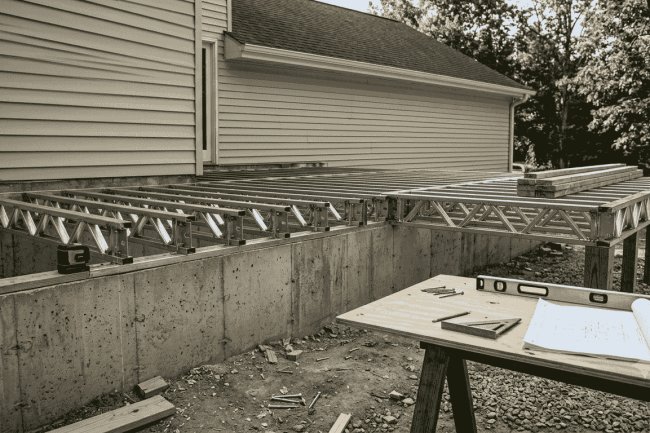
Modeling Steel Joists in BIM: Tools and Techniques
Steel joists form the backbone of modern construction, and modeling them accurately in Building Information Modeling (BIM) environments is essential for project success. Whether you're a project manager coordinating deliverables or a BIM professional creating construction documents, understanding the right tools and techniques can transform your workflow and reduce costly errors downstream.

Why Steel Joist Modeling Matters in Today's Construction Landscape
Intelligent Structural Data
Accurate joist models contain embedded information such as member sizes, load capacities, connection requirements, and material specifications, creating a reliable source of project data.
Automated Coordination
Detailed joist models support clash detection, quantity takeoffs, and interdisciplinary coordination, helping teams identify and resolve issues before construction begins.
Industry-standard BIM platform featuring powerful parametric modeling tools, multidisciplinary coordination capabilities, and extensive Steel Joist Institute (SJI) family libraries.
Preferred by steel fabricators for high-precision detailing, advanced connection modeling, automated shop drawings, and fabrication-ready deliverables.
Many successful projects combine multiple BIM platforms to maximize efficiency. Revit is often used for design coordination and multidisciplinary collaboration, while Tekla Structures manages fabrication-level detailing and shop drawing production. This connected workflow improves accuracy, reduces rework, and supports seamless project delivery.
Essential BIM Tools for Steel Joist Modeling
Autodesk Revit
Tekla Structures
Workflow Insight
Define column grids and building levels that match the structural design documents. Accurate grids create the foundation for proper joist placement and alignment with supporting beams and girders.
Import manufacturer-provided joist families or use standard Steel Joist Institute designations. Ensure parameters such as depth, span length, and load capacities are included.
Use Revit's Structural Framing tools to position joists between supports. Verify bearing conditions, seat locations, and support requirements according to engineering specifications.
Assign designation data, spacing values, bridging requirements, load conditions, and deflection criteria to ensure accurate schedules and coordination outputs.
Step-by-Step: Modeling Steel Joists in Revit
Establish Your Structural Grid
Load SJI-Compliant Families
Place Joists Using Beam Tools
Define Parameters and Properties
Intelligent families reduce repetitive edits and improve consistency across large structural projects.
Match model complexity to the required project phase. Conceptual design models should remain lightweight, while fabrication-stage models require detailed connections, bolt geometry, weld information, and constructability data. Proper LOD management balances efficiency with accuracy.
Advanced Techniques That Separate Good Models from Great Ones
LOD-Appropriate Detailing
Large projects containing hundreds or thousands of steel joists can significantly impact BIM performance. Slow navigation, delayed regeneration, and lengthy synchronization times can reduce team productivity.
Use simplified geometry for distant views, apply view filters strategically, and implement worksets that allow team members to work independently within designated project areas. These techniques improve responsiveness without sacrificing coordination accuracy.
Common Challenges and How to Overcome Them
Model Performance Issues
Select software based on project requirements and team expertise. Revit excels in coordination and BIM management, while Tekla provides superior fabrication detailing and shop drawing capabilities.
Invest time creating high-quality parametric families and templates. Well-structured content improves efficiency, consistency, and accuracy throughout the entire project lifecycle.
Steel joists interact with structural, architectural, mechanical, electrical, and plumbing systems throughout a building. Early coordination and clear communication between disciplines prevent costly field conflicts, reduce RFIs, and improve project outcomes.
Mastering steel joist modeling in BIM isn't just about software proficiency—it's about understanding how these critical structural elements fit into the broader digital construction ecosystem. With the right tools, techniques, and collaborative mindset, project teams can deliver buildings that are better coordinated, more efficiently constructed, and positioned for success from design through occupancy.
Key Takeaways for Your Next Project
Choose the Right Tool
Build Strong Families
Prioritize Coordination & Communication
What's Your Reaction?